User Guide

contHACKS is a desktop app to help Teaching Assistants (TAs) in managing contacts. It is optimized for use via a Command Line Interface (CLI) while still having the benefits of a Graphical User Interface (GUI). contHACKS streamlines the creation, reading, updating and deleting operations of contacts to make it fast and efficient for TAs, easing your workload to focus on the more important task - teaching.
Table of Contents
Quick start
-
Ensure you have Java
11or above installed on your computer -
Download the latest
contHACKS.jarfrom here -
Copy the file to the folder you want to use as the home folder
-
Double-click the file to start the app
-
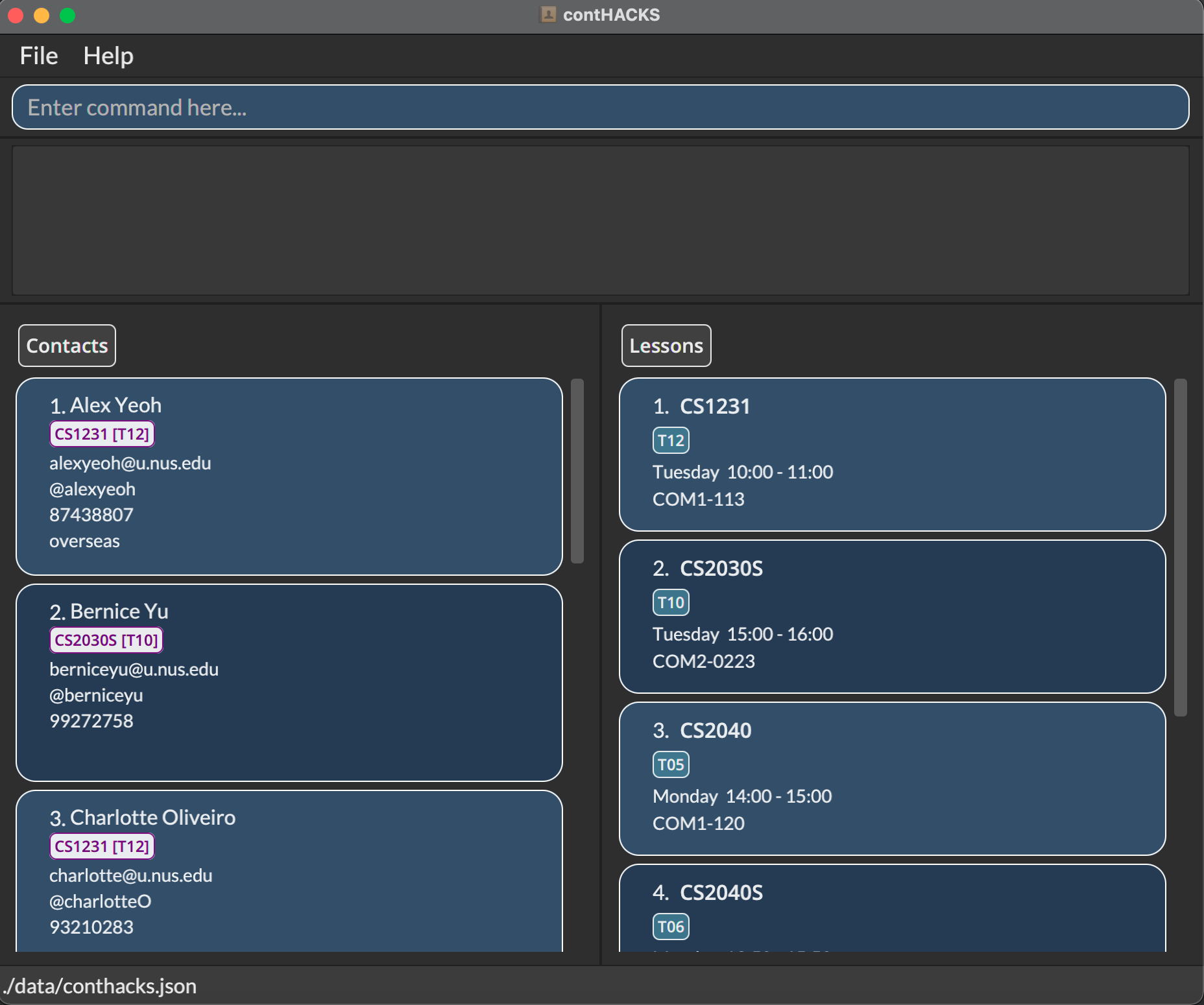
An application like the one in the screenshot below should appear in a few seconds
How to use this User Guide
This section provides tips on reading this document, as well as how to navigate it.
This User Guide is structured so that it is easy for you to find what you need. If this is your first time using contHACKS, we recommend reading the User Guide in order, starting from this section. If you are ever lost, head over to the table of contents to orientate yourself.
Here are some of the things you will need to know before you get started!
Meaning of icons
| Icon | Description |
|---|---|
 |
This icon indicates that some extra information is provided. |
 |
This icon indicates that the information provided is important. |
 |
This icon indicates proceed with caution. |
Key terms
These are the key terms defined for the usage of the commands:
-
Module Code: Refers to the module code of a NUS module
e.g. CS2103, GEQ1000, ST2334 -
Lesson Code: Refers to the code of the lesson: tutorials, labs, sectionals etc
e.g. T18, B30, E32 -
Telegram Handle: Telegram username that should begin with an
@
e.g. @BenIsHere, @Jerry321 -
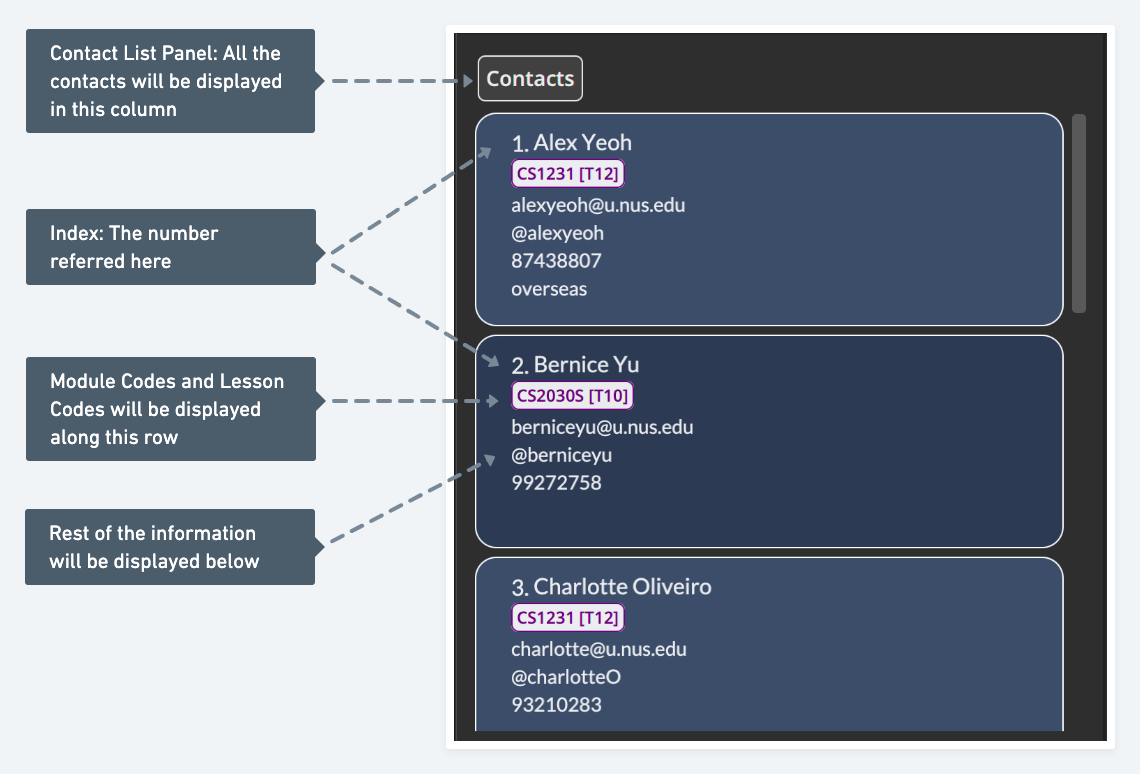
Index: Refers to the number displayed next to the name in the displayed contact list.
e.g. 1, 2, 3… -
Alias: These are alternative words that you can use to perform the same command
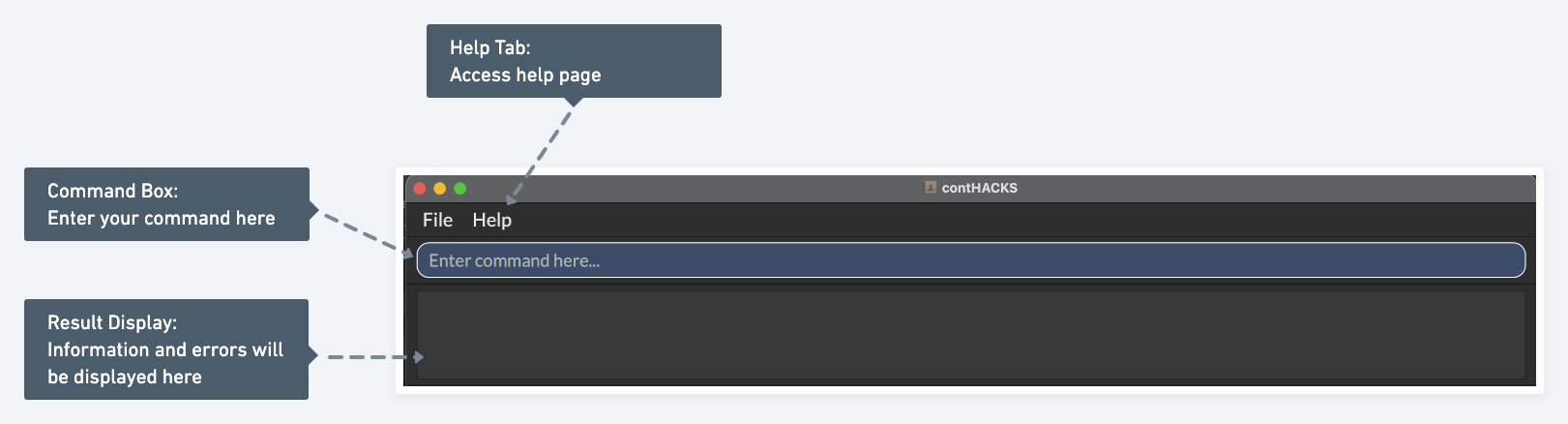
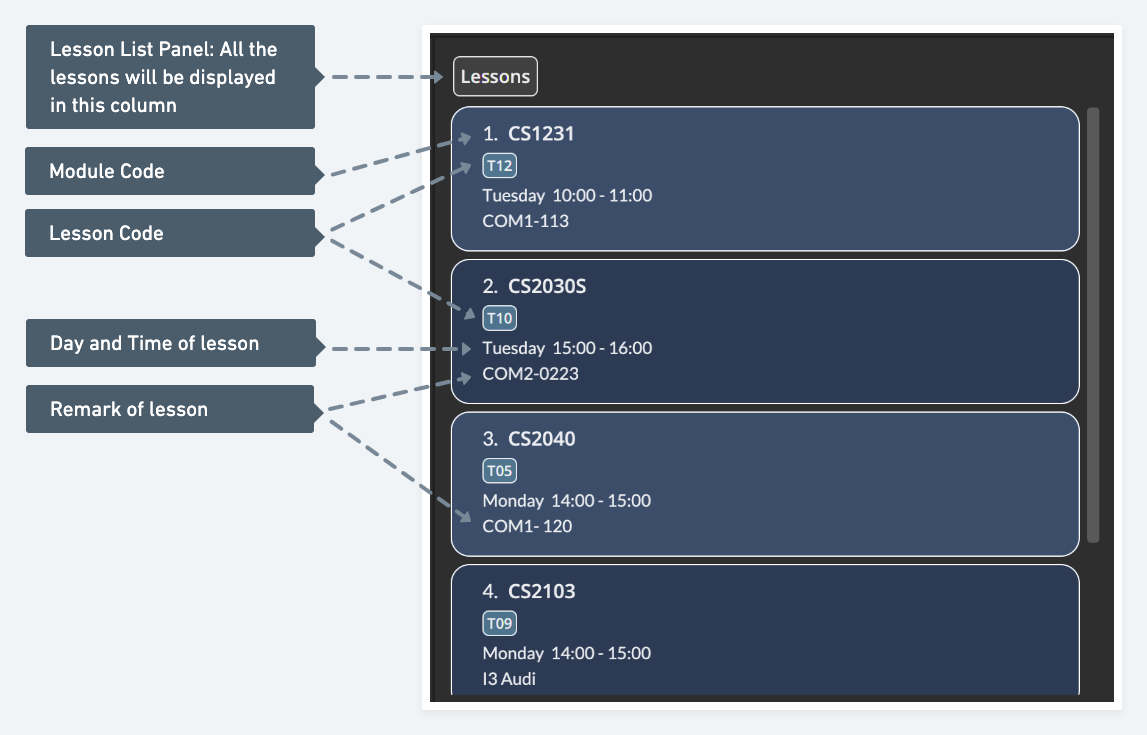
Refer to the image below for more information on the different components of ContHACKS!
GUI
Top Navigation Bar
Contact List Panel
Lesson List Panel
Command format
Notes about the command format:
-
Command words are case insensitive
e.g.add,AddandADDcan all be used to perform the same command -
Words in
UPPER_CASEare the parameters to be supplied by you
e.g. inadd n/NAME,NAMEis a parameter that can be used asadd n/John Doe -
Items in square brackets are optional
e.gn/NAME [h/TELEGRAM_HANDLE]can be used asn/John Doe h/@johndoeor asn/John Doe -
Parameters of all commands can be in any order
e.g. if the command specifiesn/NAME p/PHONE,p/PHONE n/NAMEis also acceptable -
If a parameter is expected only once in the command but you specified it multiple times, only the last occurrence of the parameter will be taken
e.g. if you specifyp/12341234 p/56785678, onlyp/56785678will be taken -
Extraneous parameters for commands that do not take in parameters (such as
help,list,exitandclear) will be ignored
e.g. if the command specifieshelp 123, it will be interpreted ashelp
Some example commands you can try:
-
list: Lists all contacts -
add n/Ben p/91234567 e/ben123@gmail.com m/CS2103T: Adds a contact namedBen -
addc m/CS2103T G09 d/4 t/09:00 10:00: Adds a class with CS2103T module code and G09 lesson code, that falls on a Thursday from 9am - 10am -
delete 3: Deletes the 3rd contact shown in the current contact list -
deletec 2: Deletes the 2nd lesson shown in the current lesson list -
exit: Exits the app
Some additional notes:
- The contact list panel and the lesson list panel are independent of each other. This means that adding a contact with module and lesson code
CS2103T G09will not create that lesson in the lesson panel list. - Contacts and lessons are sorted alphabetically after every command by name and module code name respectively.
Features
General
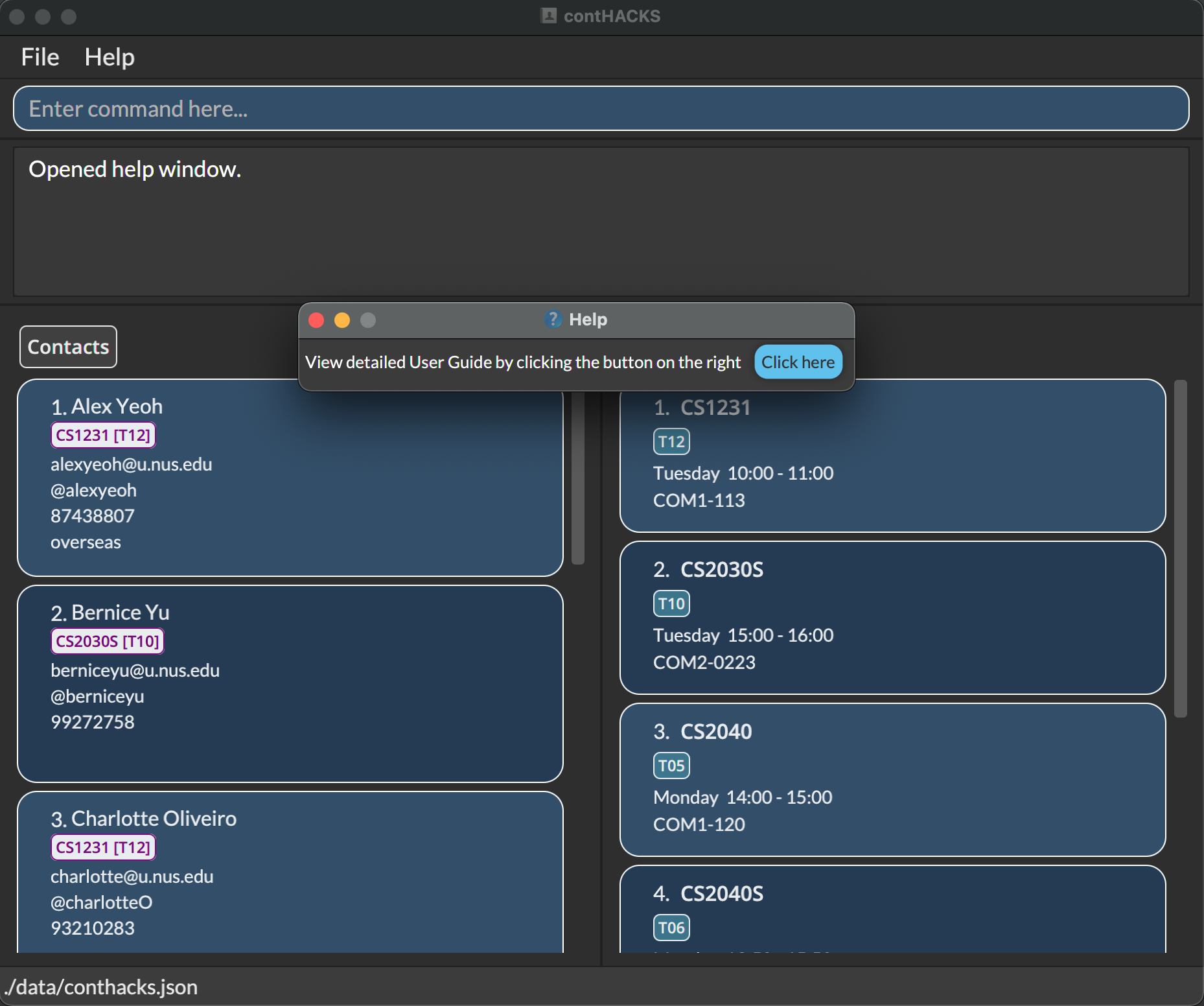
Accessing the help page : help
Shows a message explaining how to access the help page.
Format: help
Command aliases: man h
Exiting the program : exit
Exits the program.
Format: exit
Command aliases: quit q
Managing contacts
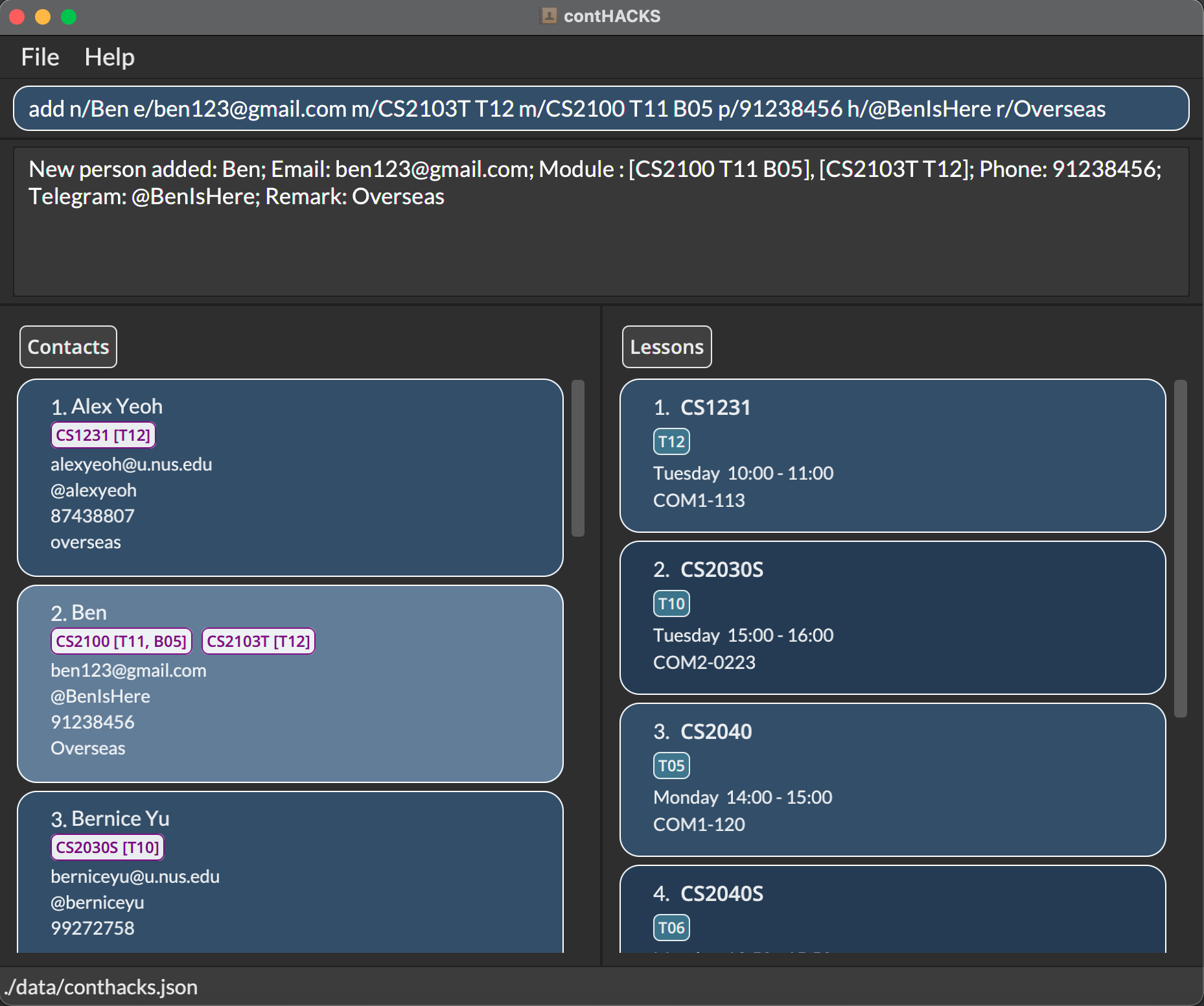
Adding a contact: add
Adds a contact to contHACKS.
Format: add n/NAME e/EMAIL m/MODULE_CODE [LESSON_CODE(S)] [p/PHONE] [h/TELEGRAM_HANDLE] [r/REMARK]
- Name, email and module code are compulsory
- Lesson code, phone number, telegram handle and remarks are optional
- You can add multiple module codes, and can have multiple lesson codes for a single module code
- You will not be able to add a person with the same email/phone number/telegram handle as another existing contact in contHACKS
- If you add multiple module codes that are the same, only the first one would be considered
Note:
Module code and lesson code are separated by white spaces.
Examples:
-
add n/Ben e/ben123@gmail.com m/CS2103T T12 m/CS2100 T11 B05 p/91238456 h/@BenIsHere r/Overseas: Adds a contact using all parameters, with multiple module code and multiple lesson code -
add n/Mary e/mary123@gmail.com m/CS2103T: Adds a contact using only the compulsory parameters -
add n/Tim e/timothy@gmail.com m/CS2101 G09 m/CS2101 T11 h/@Teeeeeeeemo: Adds a contact with multiple module codes that are the same, onlyCS2101 G09is considered
Command alias: a
Editing a contact: edit
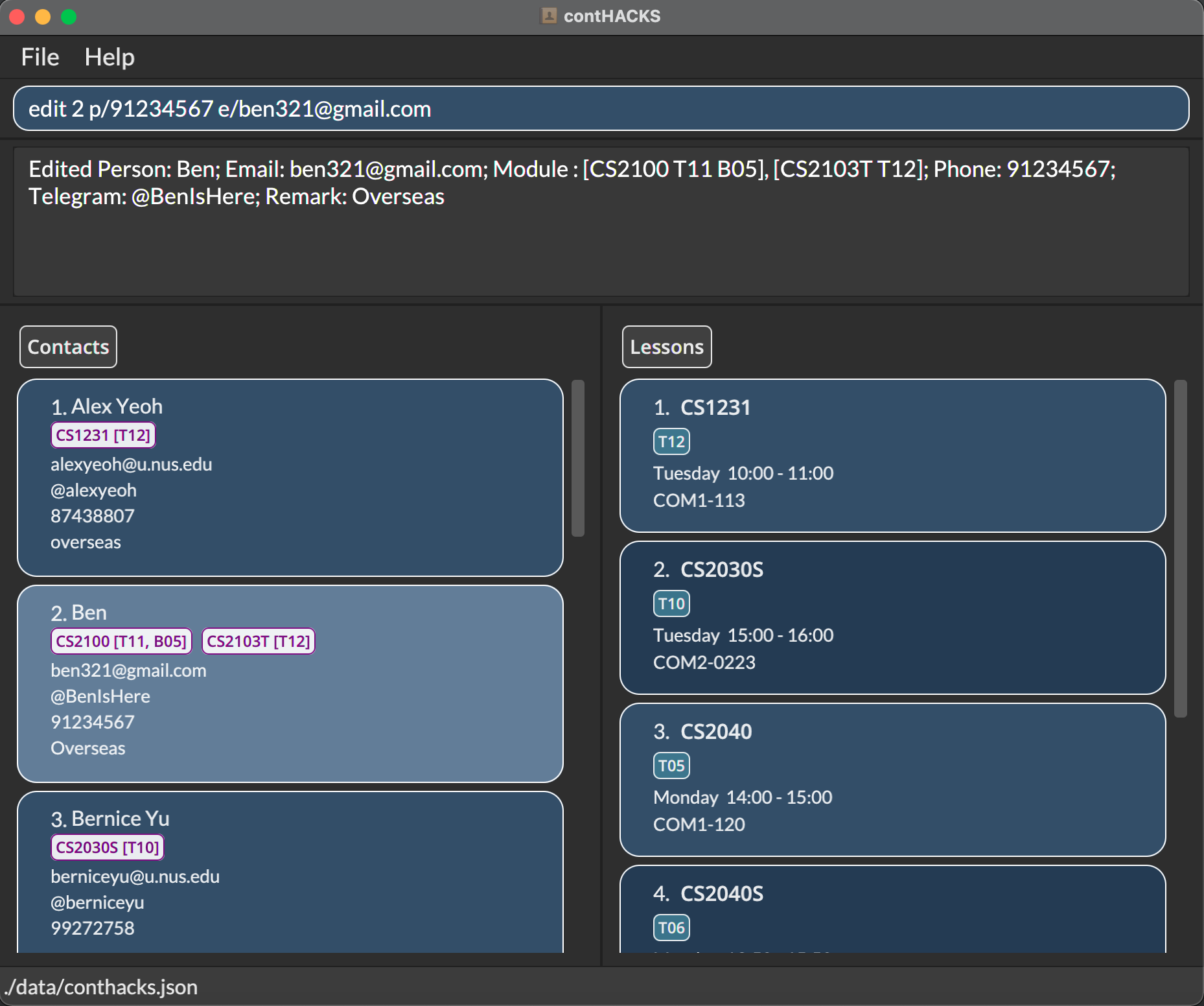
Edits the contact at the specified index in the currently viewed list.
Format: edit INDEX [n/NAME] [e/EMAIL] [m/MODULE_CODE LESSON_CODE(S)] [p/PHONE] [h/TELEGRAM_HANDLE] [r/REMARK]
- At least one of the parameters must be provided
- Existing values of the parameters specified will be erased and updated to the input values
- You can input multiple module codes, and can have multiple lesson codes for a single module
- Edited person should not contain the same email/phone number/telegram handle as another existing contact in contHACKS
- If you provide multiple module codes that are the same, only the first one would be considered
Note:
To remove an existing phone number/telegram handle/remark from a contact, simply input p/,h/,r/ respectively.
Examples:
-
edit 1 e/ben321@gmail.com p/91234567: Edits the email and phone number of the 1st contact to beben321@gmail.comand91234567respectively -
edit 2 m/CS2100 T09 B09 m/CS2100 T01: Edits the modules of the 2nd contact to be[CS2100 T09 B09]because multiple module codes that are the same is provided -
edit 3 r/: Removes the remark of the 3rd contact
Command aliases: update e
Deleting a contact / contacts: delete
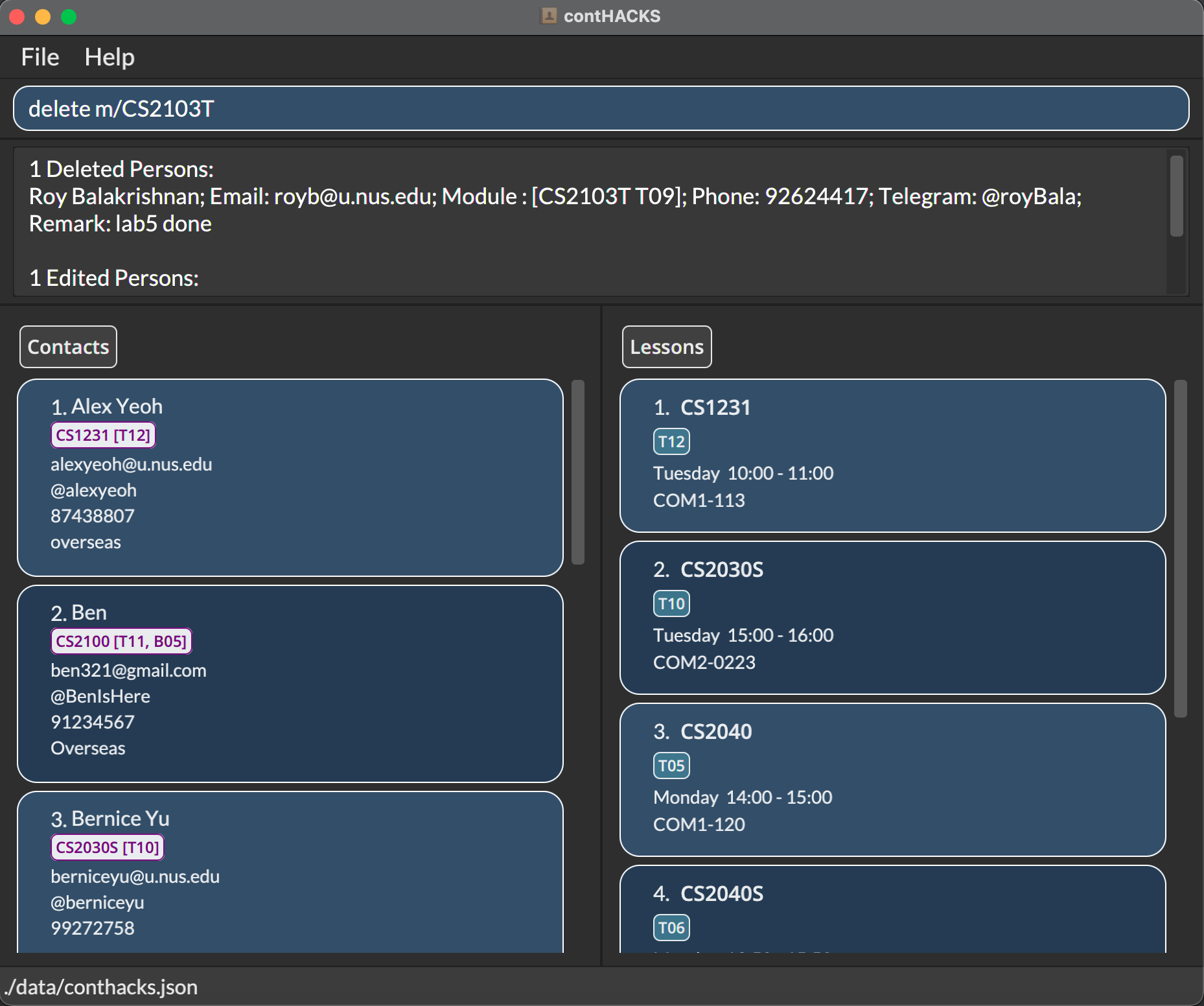
Delete the specified contact(s) from contHACKS.
Format: delete INDEX/ delete INDEX_START-INDEX_END
- Deletes the specified contact(s) at the specified index(es) including
INDEX_ENDandINDEX_START. -
INDEX_ENDshould be a positive integer greater than or equal toINDEX_START.
Format: delete m/MODULE_CODE/delete m/MODULE_CODE LESSON_CODE
- Delete all contacts associated with a module code using
m/MODULE_CODE. - Delete all contacts associated with a lesson code under the module using
m/MODULE_CODE LESSON_CODE.
Examples:
-
delete 2: Deletes the 2nd contact in the displayed list. -
delete 2-5: Deletes the 2nd, 3rd, 4th and 5th contacts in the displayed list. -
delete m/CS2103T: Deletes all the contacts with the module code CS2103T. -
delete m/CS2103T T10: Deletes all the contacts with both the module code CS2103T and lesson code T10.
Command aliases: del rm d
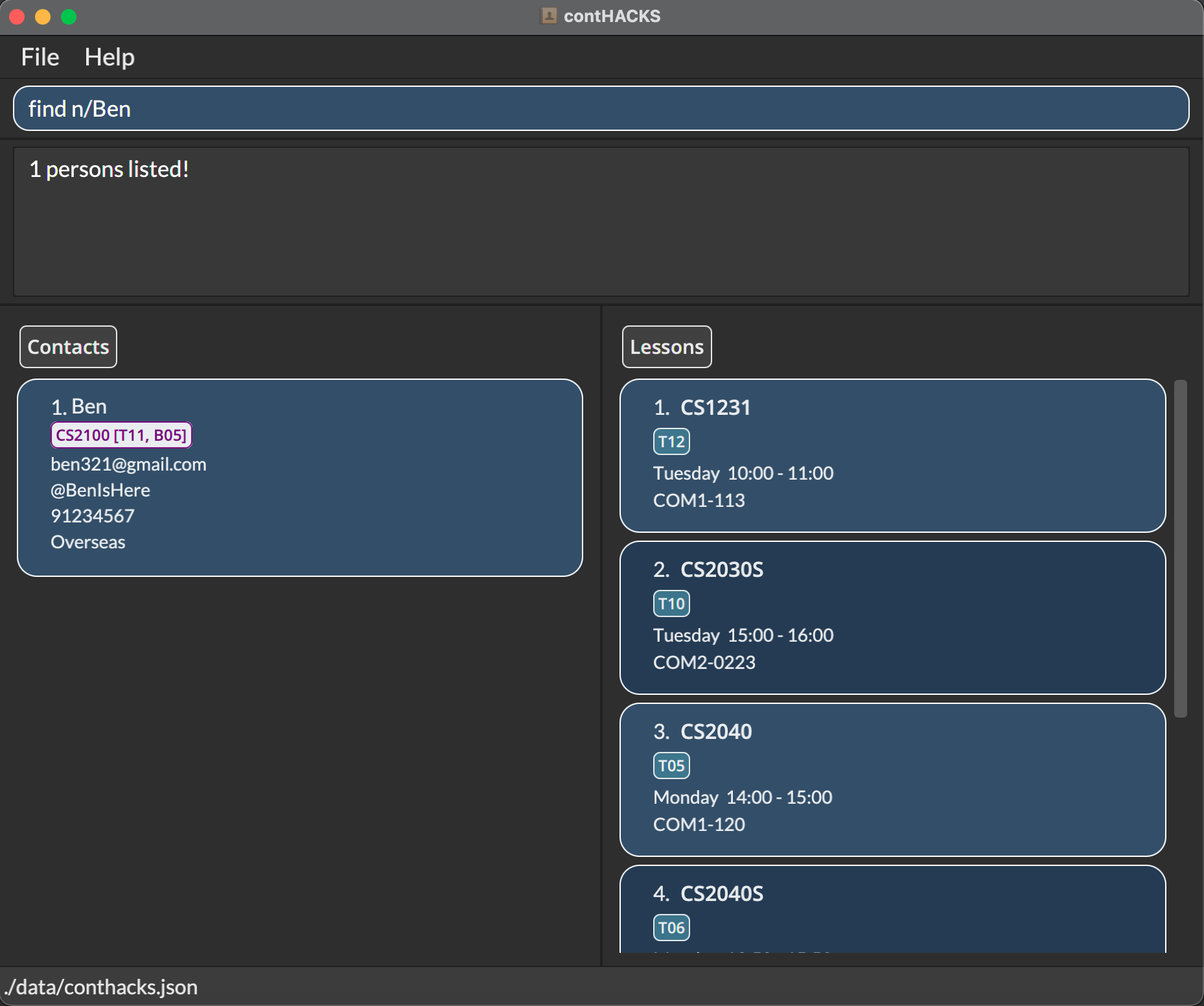
Finding contacts by name / module code: find
Finds a contact by specifying either the name/module code(s).
Format: find n/NAME(S)/find m/MODULE_CODE(S)
- Can only search by name(s) or module code(s), but not both at once
i.e. You cannot performfind n/Ben m/CS2040S - The search is case-insensitive
e.galexwill matchAlex - The order of the keywords does not matter
e.g.Yeoh Alexwill matchAlex Yeoh - Partial words will also be matched, for both name and module code searches.
e.g.Benwill matchBenjamin,S123will matchCS1231
Important:
If multiple words are specified for the name search, only results matching all the words specified will be returned e.g
find n/Bernice Yu will only return contacts that have both words Bernice and YuSimilarly, if multiple module codes are specified, only results matching all the module codes specified will be returned
e.g.
find m/CS2030S CS2040S will only return contacts that have both CS2030S and CS2040S module codes
Examples:
-
find n/Alex: Search contacts that have names that containAlex -
find n/Charlotte Oliveiro: Search contacts with names containing all ofCharlotteandOliveiro -
find m/CS1231 CS2030S: Search contacts that have both module codesCS1231andCS2030S
Command alias: f
Listing all contacts : list
Shows a list of all contacts in contHACKS.
Format: list
Command alias: ls
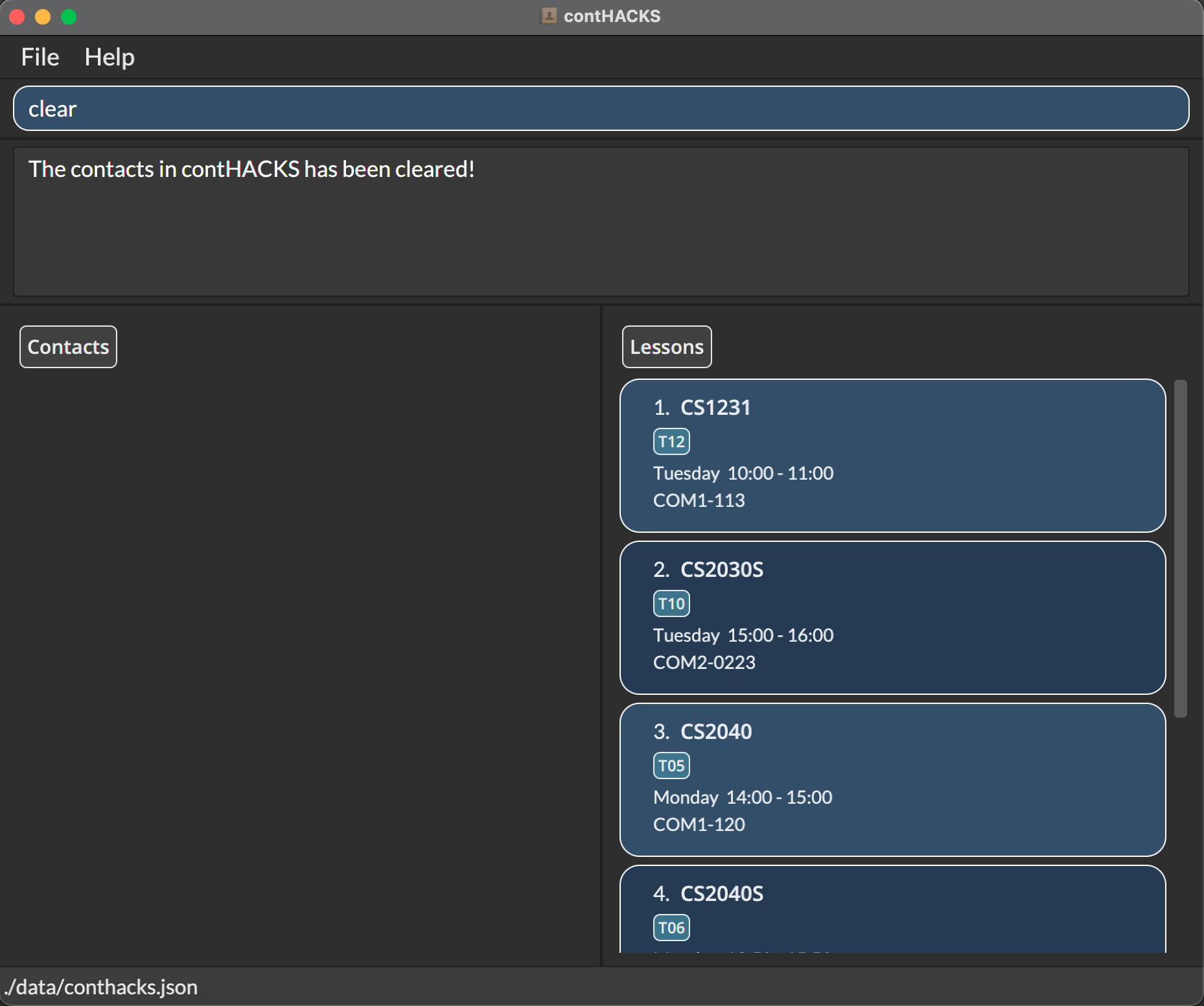
Clearing all contacts: clear
Purges all existing contacts from contHACKS.
Warning:
This action cannot be undone. Use with caution!
Format: clear
Command aliases: clr c
Managing lessons
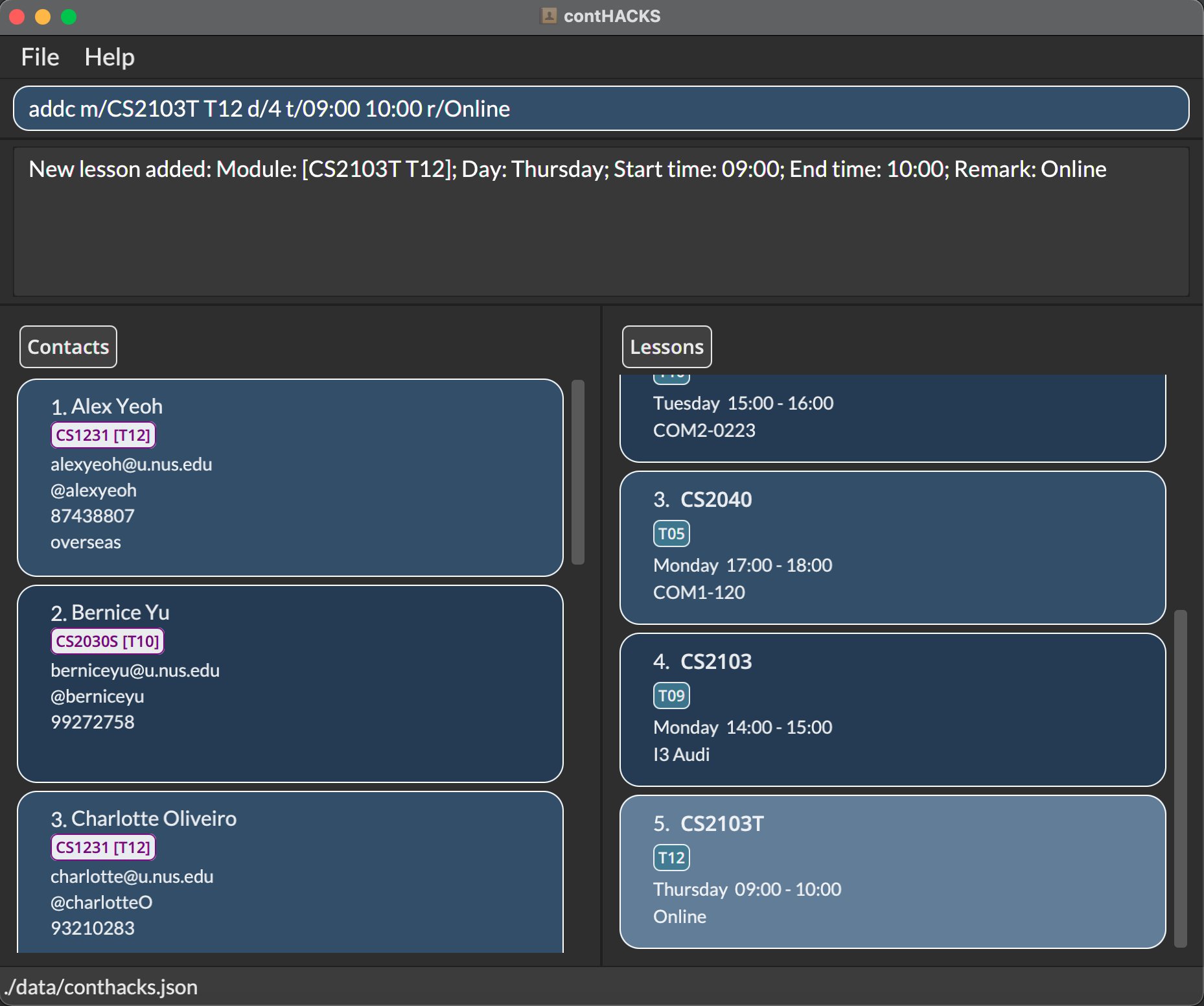
Adding a lesson: addc
Adds a lesson to contHACKS.
Format: addc m/MODULE_CODE LESSON_CODE d/DAY t/START_TIME END_TIME [r/REMARK]
- All the parameters are compulsory except for remark
- Day input is only accepted in integer form
e.g.1for Monday,7for Sunday - Start and end time input is only accepted in the
HH:mmformat
e.g.09:00 - You will not be able to add a lesson with the same module and lesson code as another existing lesson in contHACKS
Note:
Module code and lesson code are separated by white spaces. Lesson start time and end time are separated by white spaces as well.
Examples:
-
addc m/CS2103T T12 d/4 t/09:00 10:00 r/Online: Adds a lesson with remark -
addc m/CS2100 B05 d/3 t/14:00 15:00: Adds a lesson without remark
Command alias: ac
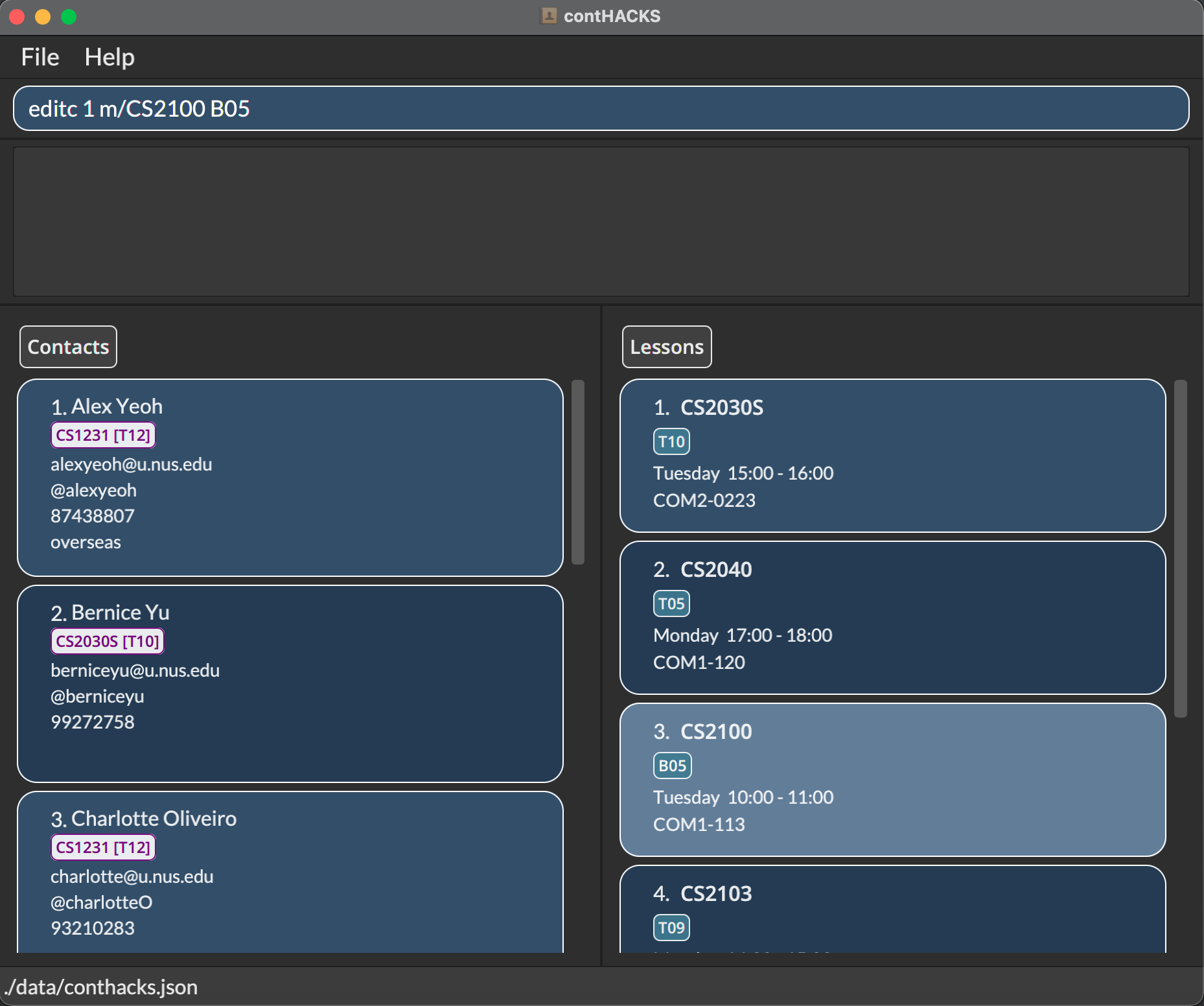
Editing a lesson: editc
Edits the lesson at the specified index in the currently viewed list.
Format: editc INDEX [m/MODULE_CODE LESSON_CODE] [d/DAY] [t/START_TIME END_TIME] [r/REMARK]
- At least one of the parameters must be provided.
- Existing values of the parameters specified will be erased and updated to the input values
- Edited lesson should not contain the same module and lesson code as another existing lesson in contHACKS
Note:
To remove a remark from a lesson, simply input r/.
Examples:
-
editc 1 m/CS2100 B05: Edits the module of the 1st lesson to beCS2100 B05 -
editc 2 d/3: Edits the day of the 2nd lesson to be Wednesday -
editc 3 t/10:00 12:00: Edits the start time and end time of the 3rd lesson to be 10AM and 12PM respectively -
editc 4 r/COM01-0120: Edits the remark of the 4th lesson toCOM01-0120 -
editc 5 m/CS2100 B05 d/3 t/10:00 12:00 r/COM01-0120: All parameters present in one command
Command aliases: updatec ec
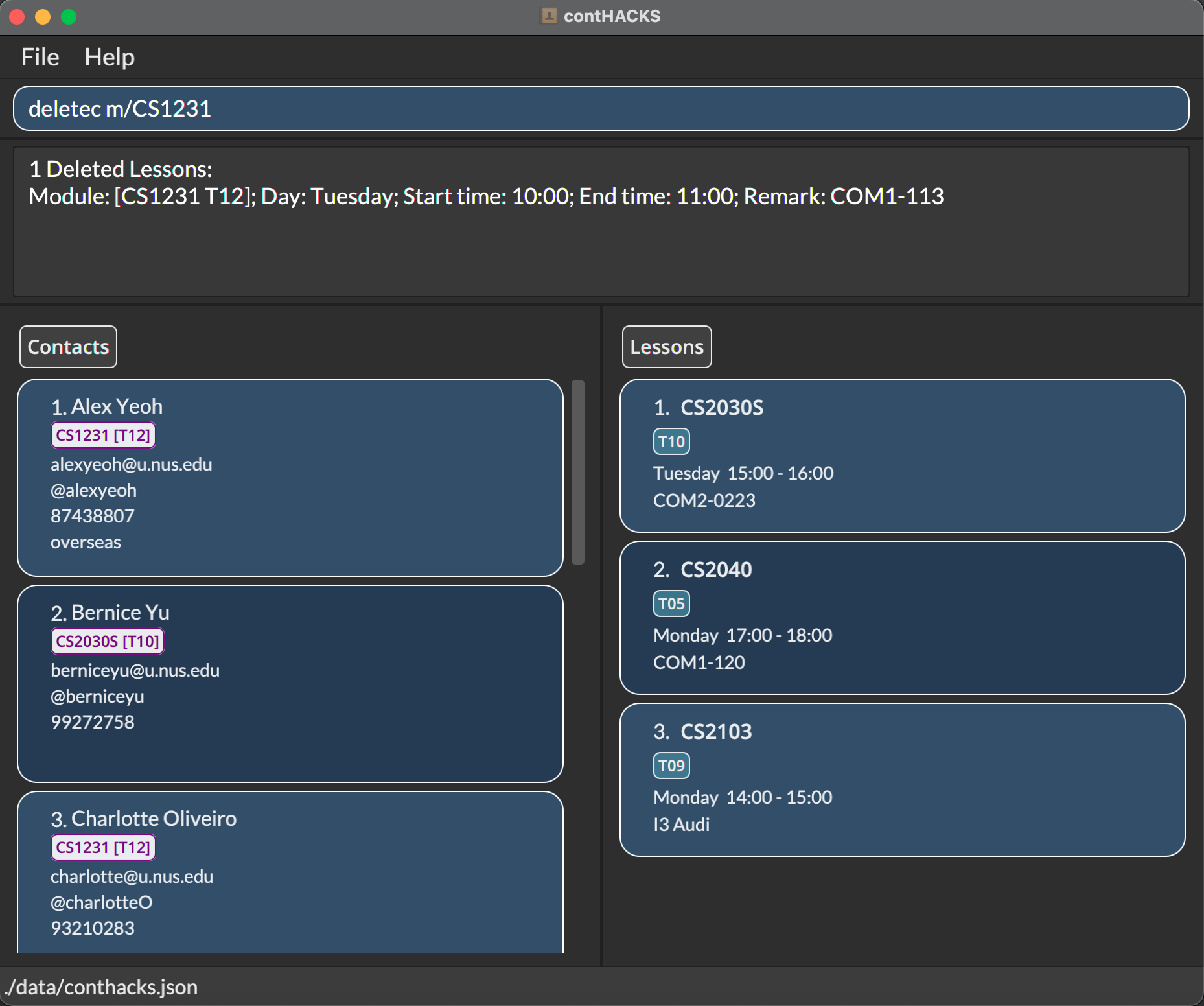
Deleting a lesson / lessons: deletec
Deletes the specified lesson(s) from contHACKS.
Format: deletec INDEX/deletec INDEX_START-INDEX_END
- Deletes the specified lesson(s) at the specified index(es) including the
INDEX_STARTandINDEX_END. -
INDEX_ENDshould be a positive integer greater than or equal toINDEX_START.
Format: deletec m/MODULE_CODE
- Deletes all contacts associated with a module code using
m/MODULE_CODE.
Examples:
-
deletec 1: Deletes the 1st lesson in the displayed list. -
deletec 1-3: Deletes 1st, 2nd and 3rd lesson in the displayed list. -
deletec m/CS2103T: Deletes all the lessons with CS2103T module code.
Command aliases: delc rmc dc
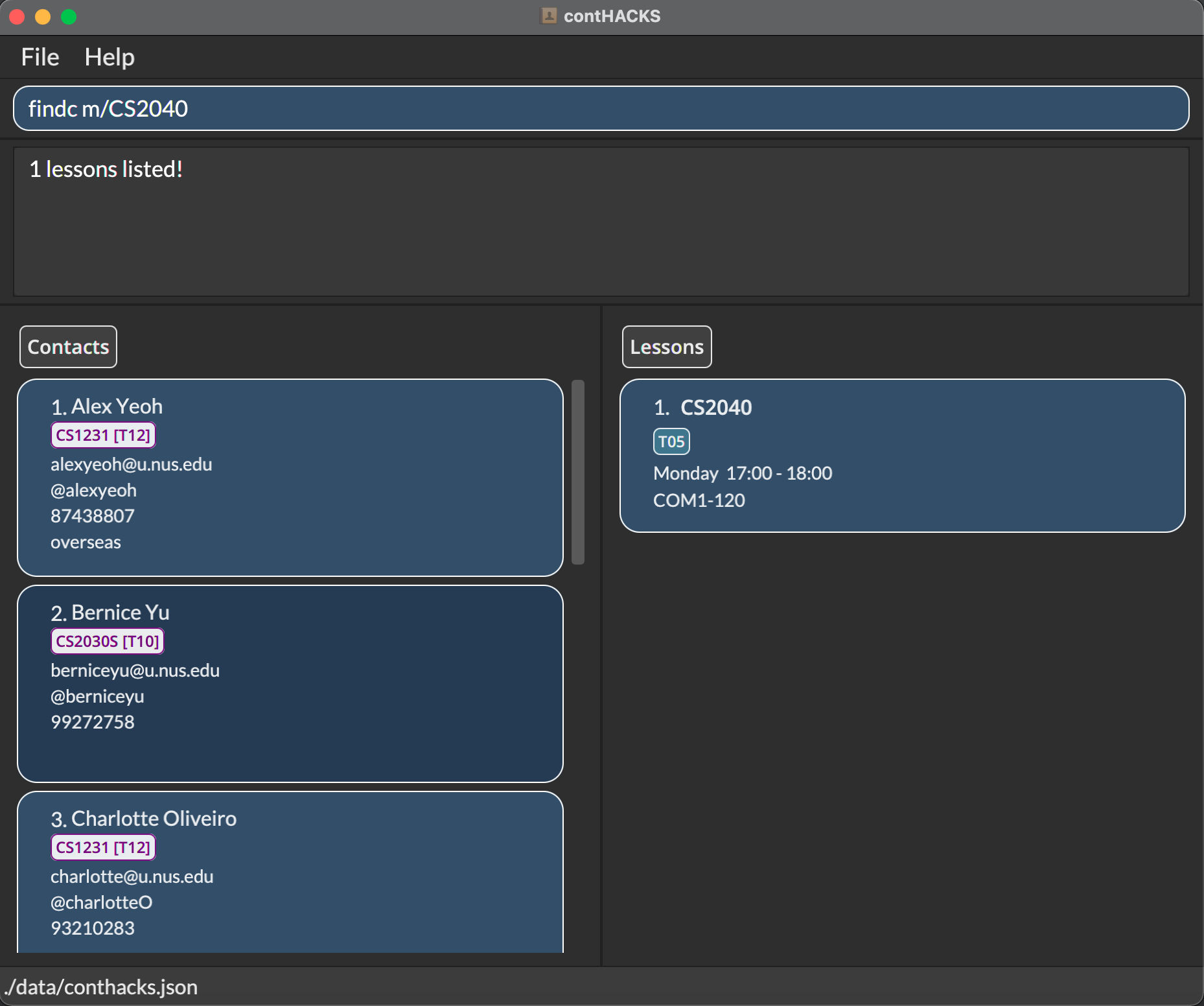
Finding a lesson / lessons: findc
Finds a contact by specifying the module code(s)/day(s)/start time(s).
Format: findc m/MODULE_CODE(S)/findc d/DAY(S)/findc t/START_TIME(S)
- Can only search using one prefix at a time
i.e. You cannot performfindc m/CS2040S d/2 - The search is case-insensitive
e.gcs1231will matchCS1231 - Only for module codes, partial word matches will also be matched.
e.g.S123will matchCS1231 - Day input is only accepted in integer form
e.g.1for Monday,7for Sunday - Start time input is only accepted in the
HH:mmformat
e.g.15:0009:00
Important:
If multiple keywords are specified for the search, any lesson that matches at least one of the keywords will be returned e.g.
findc m/CS1231 CS2030S will return lessons that are of module CS1231 or CS2030S e.g.
findc d/2 3 will return lessons that are on Tuesday or Wednesday e.g.
findc t/10:00 15:00 will return lessons that start at either timings 10:00 or 15:00
Examples:
-
findc m/CS1231 CS2030S: Search lessons of modulesCS1231orCS2030S -
findc d/2: Search lessons that fall on Tuesdays -
findc t/10:00: Search lessons that start at10:00
Command alias: fc
Listing all lessons: listc
Shows a list of all lessons in contHACKS.
Format: listc
Command alias: lsc
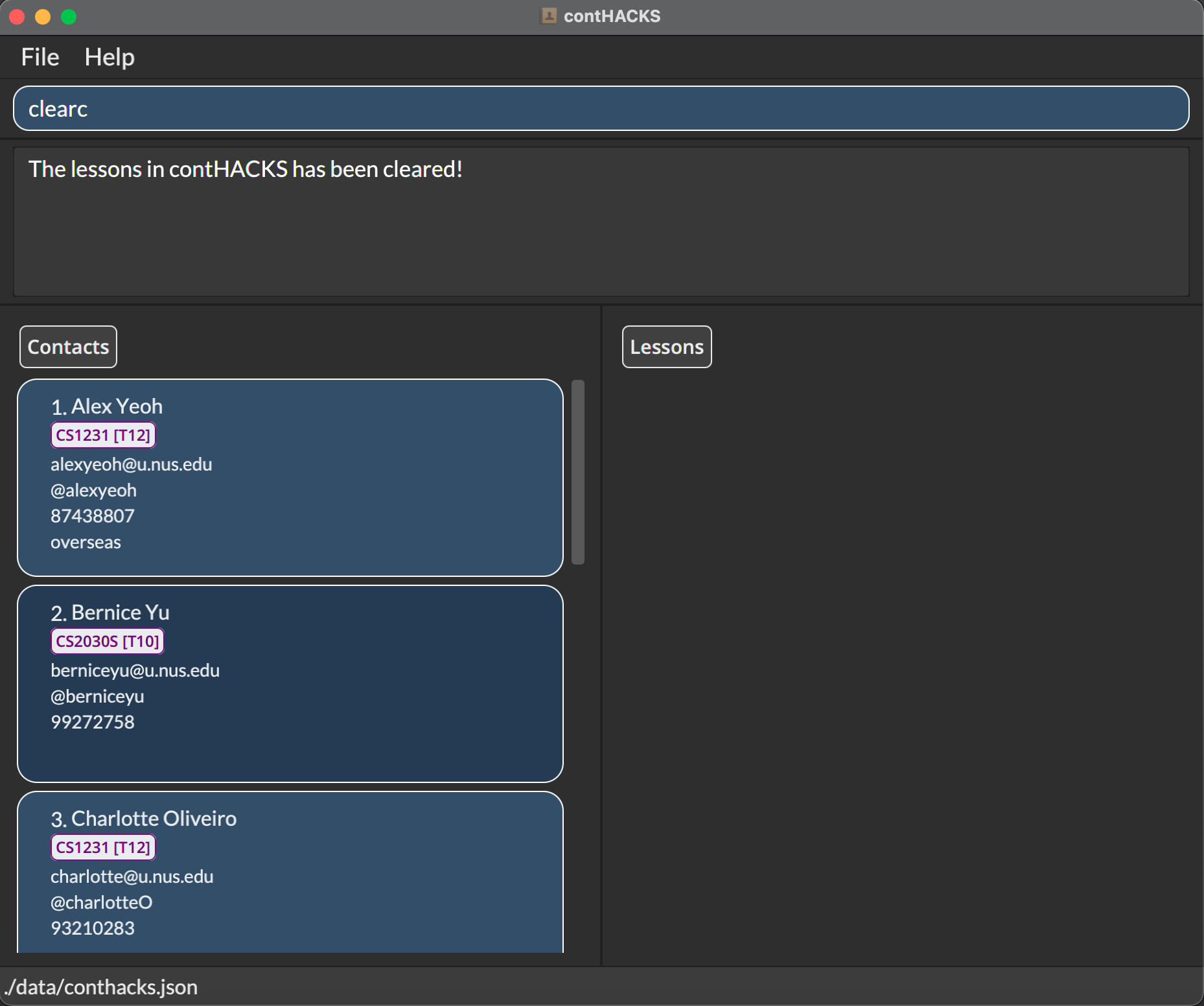
Clearing all lessons: clearc
Purges all existing lessons from contHACKS.
Warning:
This action cannot be undone. Use with caution!
Format: clearc
Command aliases: clrc cc
Managing Data
Saving the data
Contact data are saved in the hard disk automatically after any command that changes the data. There is no need to save manually.
Editing the data file
contHACKS data are saved as a JSON file [JAR file location]/data/conthacks.json.
Note:
Advanced users are welcome to update data directly by editing that data file.
Warning:
If your changes to the data file make its format invalid, contHACKS will discard all data and start with an empty data file on the next start up.
Command Summary
| Category | Action | Command | Format | Example |
|---|---|---|---|---|
| General | Accessing the help page |
help
manh
|
help
|
help
|
| Exiting the app |
exit
quitq
|
exit
|
exit
|
|
| Managing contacts | Adding a contact |
adda
|
add n/NAME e/EMAIL m/MODULE_CODE [LESSON_CODE(S)] [p/PHONE] [h/TELEGRAM_HANDLE] [r/REMARK]
|
add n/Ben e/ben123@gmail.com m/CS2103T T12 p/91238456 h/@BenIsHere r/Overseas
|
| Editing a contact |
editupdatee
|
edit INDEX [n/NAME] [e/EMAIL] [p/PHONE] [h/TELEGRAM_HANDLE] [m/MODULE_CODE LESSON_CODE(S)] [r/REMARK]
|
edit 1 p/91234567 e/ben321@gmail.com
|
|
| Deleting a contact / contacts |
deletedelrmd
|
delete INDEXdelete INDEX_START-INDEX_ENDdelete m/MODULE_CODEdelete m/MODULE_CODE LESSON_CODE
|
delete 2delete 2-5delete m/CS2103Tdelete m/CS2103T T09
|
|
| Finding a contact / contacts |
findf
|
find n/NAMEfind m/MODULE_CODE(S)
|
find n/Benfind m/CS2103T
|
|
| Listing all contacts |
listls
|
list
|
list
|
|
| Clearing all contacts |
clearclrc
|
clear
|
clear
|
|
| Managing lesson | Adding a lesson |
addcac
|
addc m/MODULE_CODE LESSON_CODE d/DAY t/START_TIME END_TIME [r/REMARK]
|
addc m/CS2103T T12 d/4 t/09:00 10:00 r/Online
|
| Editing a lesson |
editcupdatecec
|
editc INDEX [m/MODULE_CODE LESSON_CODE] [d/DAY] [t/START_TIME END_TIME] [r/REMARK]
|
editc 5 m/CS2100 B05 d/3 t/10:00 12:00 r/COM01-0120
|
|
| Deleting a lesson / lessons |
deletecdelcrmcdc |
deletec INDEXdeletec INDEX_START-INDEX_ENDdeletec m/MODULE_CODE
|
deletec 1deletec 1-3deletec m/CS2103T
|
|
| Finding a lesson / lessons |
findcfc
|
findc m/MODULE_CODE(S)findc d/DAY(S)findc t/START_TIME(S)
|
findc m/CS2030 CS2040findc d/2 3findc t/10:00 15:00
|
|
| Listing all lessons |
listclsc
|
listc
|
listc
|
|
| Clearing all lessons |
clearclrccc
|
clearc
|
clearc
|